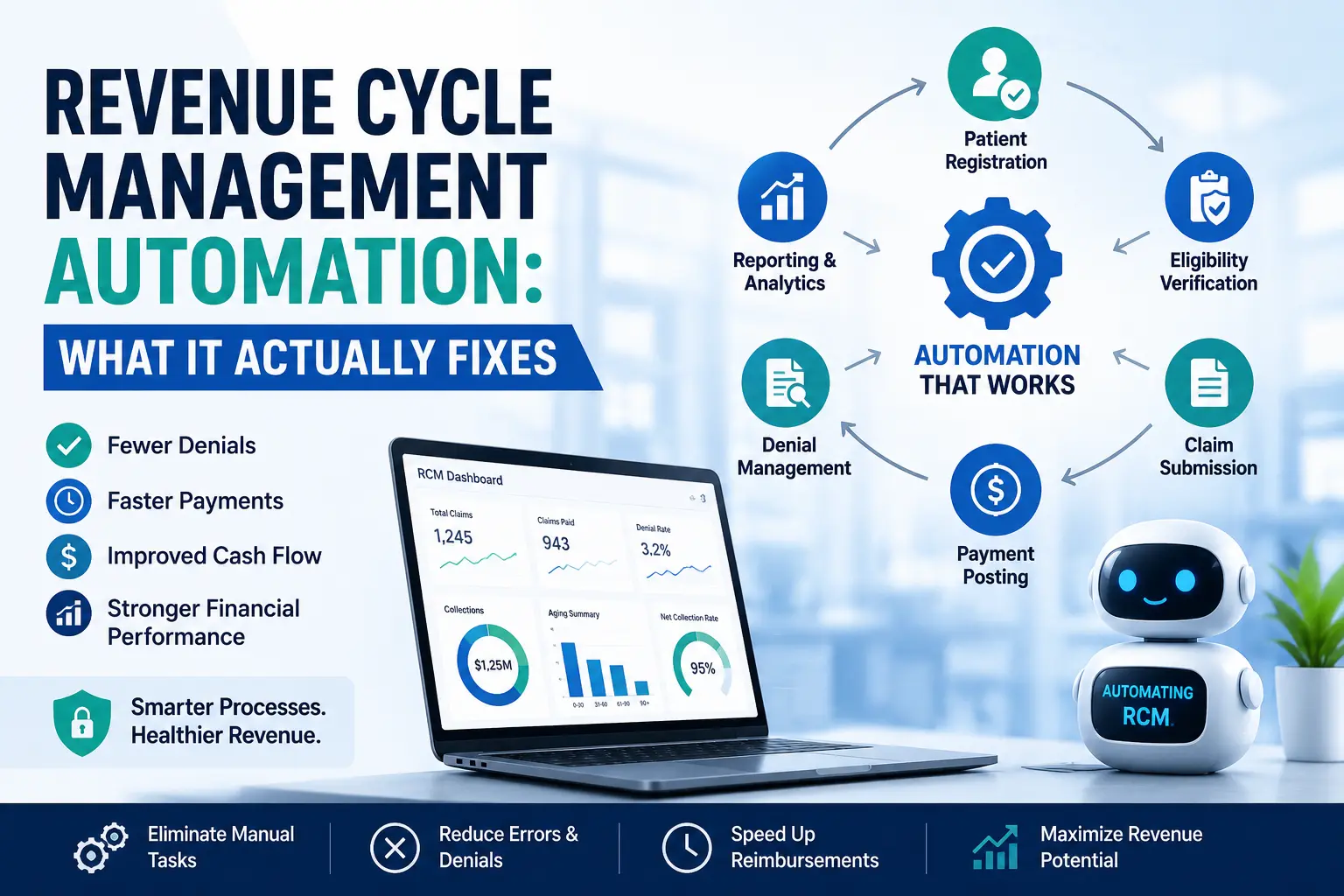
Quick answer: Revenue cycle management automation uses software, rules engines, and AI to handle the repetitive parts of medical billing, eligibility checks, charge review, claim scrubbing, payment posting, and denial routing, so claims move from the front desk to final payment with fewer manual touches and fewer preventable errors. It doesn’t replace billing judgment. It removes the busywork that slows judgment down.
If you’ve read three other articles on this topic before landing here, you’ve probably noticed they all say roughly the same thing: automation is good, RPA saves time, AI catches errors. That’s true, but it’s also incomplete. After spending years inside practice billing operations, watching automation rollouts succeed and watching several fail, the more useful conversation isn’t “should you automate.” It’s “where does automation actually move the needle, and where does it just create a faster version of the same mess.”
That’s what this guide covers.
What Revenue Cycle Management Automation Really Means
Revenue cycle management (RCM) automation is the use of technology, rules-based workflows, robotic process automation (RPA), and machine learning, to handle the administrative and financial steps between a patient booking an appointment and the practice receiving final payment. If you’re not yet clear on how the full revenue cycle management process works end to end, that’s worth reading first, since automation only makes sense once you understand what it’s automating.
In plain terms, it touches:
- Front end: eligibility verification, prior authorization checks, patient registration accuracy
- Mid cycle: charge capture, coding review, claim scrubbing before submission
- Back end: payment posting, denial categorization, appeals routing, A/R follow-up
- Oversight: reporting and analytics that show where money is stuck
The part most guides skip: automation doesn’t create accuracy. It enforces the accuracy rules your team already knows but doesn’t have time to apply to every single claim. A biller who catches 70% of eligibility mismatches manually because of volume pressure can catch closer to 100% when the system flags them automatically before the claim goes out. That’s the actual value. Not “AI is smart.” Consistency at scale.
For a plain-language walkthrough of the base process before automation gets layered on, see what RCM means in medical billing.
Why This Matters More in 2026 Than It Did Two Years Ago
Three things changed recently, and they matter for anyone deciding whether to automate now or wait.
Payer rules got more specific, not simpler. Prior authorization requirements, telehealth modifier rules, and payer-specific documentation demands have all grown more granular. A generic claim scrubber built five years ago doesn’t catch today’s edits.
Denial volume is rising industry-wide. Most practices aren’t seeing more denials because their billing got worse. They’re seeing more denials because payers added more automated denial logic on their end. Practices without matching automation on the front end are effectively fighting an automated opponent with a manual process.
Staffing hasn’t kept pace. Experienced billers and coders are hard to hire and harder to retain. Practices that used to solve volume problems by adding headcount increasingly can’t, so the work has to get more efficient per person, not just bigger in headcount.
Analysts tracking the RCM technology market have projected sustained double-digit growth through the rest of the decade, and industry surveys show the majority of hospitals and health systems have already deployed some form of RPA or AI in billing operations. The practices still running fully manual workflows aren’t behind because of preference. They’re behind because the gap between manual and automated performance keeps widening.
How Automated RCM Actually Works, Stage by Stage
Here’s where a lot of content gets vague. Let’s be specific about what automation does at each stage, because “AI helps billing” isn’t an answer anyone can act on.
Eligibility and patient access
Automated eligibility tools query payer systems in real time, before or at check-in, and flag inactive coverage, mismatched demographics, or authorization gaps before the visit happens. This is the single highest-leverage place to automate, because a front-end error is the cheapest error to fix and the most expensive one to fix later. If your registration process still relies on staff calling payers or checking portals one by one, that’s the first place to look. This guide on improving the patient registration process breaks down where these front-end failures usually start, and a full eligibility verification guide covers what a properly automated check should confirm before a claim is ever built.
Charge capture and coding review
Automation here cross-checks documented services against billed charges and flags mismatches, missing modifiers, or codes that don’t align with payer-specific edits. It doesn’t replace a certified coder’s judgment on ambiguous documentation. It stops the obvious misses (a missing modifier, an unlinked diagnosis code, a charge that never made it from the chart to the claim) from ever reaching submission. See the charge capture guide for the specific failure points automation is built to catch.
Claim scrubbing and submission
A rules engine reviews every claim against payer-specific edits, National Correct Coding Initiative (NCCI) pairs, and historical denial patterns before transmission. Strong systems separate hard stops (a missing authorization on a high-dollar claim) from soft warnings (a minor formatting issue that can be corrected without holding the whole batch). Weak systems treat every flag the same way and end up training staff to ignore alerts, which defeats the purpose.
Payment posting
Electronic remittance advice (ERA) posts automatically, and the system reconciles expected reimbursement against contracted rates. This is where underpayments get caught early instead of six months later during a random audit.
Denial management and appeals routing
This is usually where automation earns its budget back the fastest. Denials get categorized by reason code, routed to the right owner, and prioritized by dollar value and filing deadline instead of sitting in a shared inbox in the order they arrived. A full walkthrough of how this should work is in the claim denial management guide, and if you’re evaluating whether to build this in-house or hand it to a specialized team, our denial management services page covers what that looks like in practice.
A/R follow-up
Automated work queues surface the accounts most likely to be collectible and least likely to age out, instead of leaving staff to work aging reports top to bottom. For context on why this specific step matters so much financially, see why CFOs pay close attention to aging accounts receivable. Our A/R follow-up service page shows how a proactive queue is structured when it’s done right.
What Automation Fixes, and What It Honestly Doesn’t
Most articles on this topic oversell automation. Here’s a straighter answer, because overselling it is exactly what causes failed rollouts.
Automation fixes well:
- Repetitive, rules-based tasks (eligibility checks, claim scrubbing, remit posting)
- Consistency across high claim volume
- Speed between each stage of the cycle
- Pattern-based denial prevention
- Visibility into where revenue is stuck
Automation does not fix on its own:
- A bad underlying workflow. If ownership of a task is unclear before automation, it stays unclear after. The software just does the unclear thing faster.
- Documentation-judgment calls. Whether a modifier 25 is defensible for a same-day E/M and procedure still needs a person who understands the clinical note.
- Payer relationship issues. If a payer is systematically underpaying against a contracted rate, software flags it, but a person still has to fight it.
- Staff buy-in. If your team doesn’t trust the system’s flags, they’ll build workarounds, and you’ll end up paying for automation you’re not actually using.
This is the part vendors rarely say out loud, but it’s the difference between a rollout that pays for itself in four months and one that turns into an expensive dashboard nobody opens after week three.
The Financial Case: What Actually Moves
Cost savings gets mentioned in every piece of automation content, but the real financial story is speed and leakage prevention, not headcount reduction.
Faster cash conversion. Every day a claim sits unprocessed has a real financing cost. Automation shortens the gap between charge entry and payment posting, which matters more to most practices than the labor savings do.
Leakage prevention. Revenue rarely disappears in one dramatic event. It leaks through small, repeated misses, an eligibility check skipped under time pressure, a modifier left off, a low-dollar denial nobody appeals because it’s not worth the manual effort. Automation catches these at the volume a person physically can’t. If leakage is a live concern for your group, this breakdown of physician group revenue leakage prevention is worth reading alongside this guide, and the broader concept is covered in revenue integrity in healthcare.
Fewer preventable denials. The goal isn’t fighting more denials faster. It’s preventing the denials that were always avoidable in the first place.
KPIs to Track Before and After Automation
| Metric | What It Tells You | Where to Learn More |
|---|---|---|
| Clean claim rate | Share of claims paid without rework on first submission | Clean claim rate guide |
| Net collection rate | How much of your allowed revenue you actually collect | Net collection rate guide |
| Days in A/R | How long it takes cash to convert after a claim is billed | Aging A/R guide |
| Denial rate by category | Where preventable failures are concentrated | Denial management guide |
| Cost to collect | Labor and system cost per dollar recovered | Track internally against your baseline |
Don’t judge automation success by one blended number. A single “denial rate went down” figure hides whether the improvement came from the front end, coding, or payer behavior. Break every metric down by payer, CPT family, and location before deciding what worked.
Common Mistakes Practices Make When Automating RCM
Having watched several rollouts up close, the failures tend to repeat:
- Buying software before mapping the workflow. Teams install a tool to fix a problem they never actually diagnosed, so the tool automates the wrong thing.
- Automating a broken process. If nobody owned denial follow-up before, automation just creates a faster, unowned queue.
- Treating every alert the same. When low-risk warnings and true hard stops look identical in the system, staff start ignoring both.
- Skipping change management. Automation shifts what staff do day to day. If that shift isn’t planned, roles get confused and the tool gets blamed for a management gap.
- No ongoing tuning. Payer edits change constantly. A system configured once and left alone drifts out of date within a year.
If any of this sounds familiar, it’s worth reviewing this common medical billing mistakes guide before adding automation on top of an unresolved process issue.
Compliance Doesn’t Get Easier With Automation, It Gets More Important
Automated systems move and store protected health information (PHI) faster and at higher volume than a manual process does, which means the compliance stakes go up, not down. Before any live claim runs through an automated tool, confirm:
- A signed Business Associate Agreement (BAA) is in place with the vendor
- Role-based access controls limit who can view or edit PHI
- Audit logging tracks every automated action on a claim, not just human edits
- The system aligns with your existing HIPAA policies, not a separate standard the vendor invented
This connects directly to broader billing compliance obligations. Our medical billing compliance guide covers the standards automation needs to meet, not just the ones it’s marketed against.
A Practical Rollout Plan (Not a Vendor Sales Pitch)
Step 1: Audit first, buy second. Before evaluating any tool, run an internal audit of where claims actually fail: front-end, coding, or back-end. This medical billing audit checklist is a solid starting structure for that review.
Step 2: Pick one high-friction process, not everything at once. Practices that try to automate the entire cycle in one rollout usually end up with fragmented queues and confused ownership. Start with the stage causing the most rework, prove it works, then expand.
Step 3: Integrate with what you already use. If the automation tool can’t work inside your existing EHR and billing platform, staff will build manual workarounds within weeks and you’ll be paying for software nobody actually uses. If you’re still comparing platforms, this medical billing software guide is a useful reference point before committing to a vendor.
Step 4: Redesign roles, not just tasks. Front desk staff shift toward handling exceptions instead of manual verification. Billers shift from repetitive posting toward denial prevention and payer analysis. If your most experienced staff are still doing work a bot could do six months into a rollout, the implementation isn’t finished.
Step 5: Monitor and adjust continuously. Payer edits change. Denial patterns shift. A system set up once and never revisited slowly loses accuracy.
Should You Build This In-House or Work With an RCM Partner
This is the honest fork most content avoids. Building automation in-house makes sense if you have the volume, IT resources, and dedicated staff to manage ongoing tuning. For most independent practices and small to mid-size groups, that combination rarely exists, which is why many end up pairing automation with an experienced medical billing services partner instead of trying to run it entirely internally.
A partner worth choosing should be able to answer, specifically:
- How does the system flag issues before submission, not just report them after denial?
- How are claims routed between automated review and human review?
- What’s the process for updating payer-specific rules when policies change?
- How does credentialing and prior authorization status factor into automated eligibility checks?
- What compliance documentation is available before a single live claim runs?
If a vendor or partner can’t answer those clearly, that’s the signal to keep looking, regardless of how polished the sales deck looks.
Frequently Asked Questions
Does RCM automation replace billing staff?
No. It replaces repetitive, rules-based tasks, not judgment. Staff shift toward managing exceptions, appeals, and payer relationships instead of manual data entry.
How long does it take to see results from RCM automation?
Front-end improvements like eligibility automation often show measurable results within 60 to 90 days. Denial reduction and A/R improvement typically take two to three billing cycles to show a clear trend, since claims need time to move through the full payment process.
Is RCM automation worth it for a small practice?
Yes, though the approach differs. Small practices usually get more value starting with one high-impact area, like eligibility verification or denial routing, rather than a full-system rollout, since staff bandwidth to manage a large implementation is limited.
Can RCM automation work without replacing our EHR?
In most cases, yes. Automation tools built to integrate with existing EHR and practice management systems don’t require a full platform migration. Confirm integration compatibility before signing any contract.
What’s the biggest reason RCM automation rollouts fail?
Automating a workflow that was never clearly owned or defined in the first place. Software speeds up whatever process it’s given, including a broken one.
How is RCM automation different from just buying billing software?
Billing software processes transactions. RCM automation applies rules, machine learning, and workflow logic across the entire cycle to prevent errors before they happen, not just record them after.
The Real Takeaway
Revenue cycle management automation isn’t a technology decision. It’s an operations decision that happens to use technology. The practices getting real results aren’t the ones with the most advanced AI. They’re the ones who audited their actual failure points first, automated the highest-friction stage, kept humans on the judgment calls, and treated the rollout as an ongoing process instead of a one-time install.
If you want a clear-eyed look at where your own revenue cycle is losing time or money before you invest in automation, The Billing Advisors can walk through a full assessment with you, stage by stage, and show exactly where automation would help and where it wouldn’t.